
Diwali AI photo editing · online
Diwali Photo Editor Online
Edit your photo for Diwali online: upload one selfie and the AI turns it into a festive Diwali portrait, with a traditional outfit and glowing diyas, a rangoli or fireworks around you. Your first preview is free, and there is no app to install.
Make my photo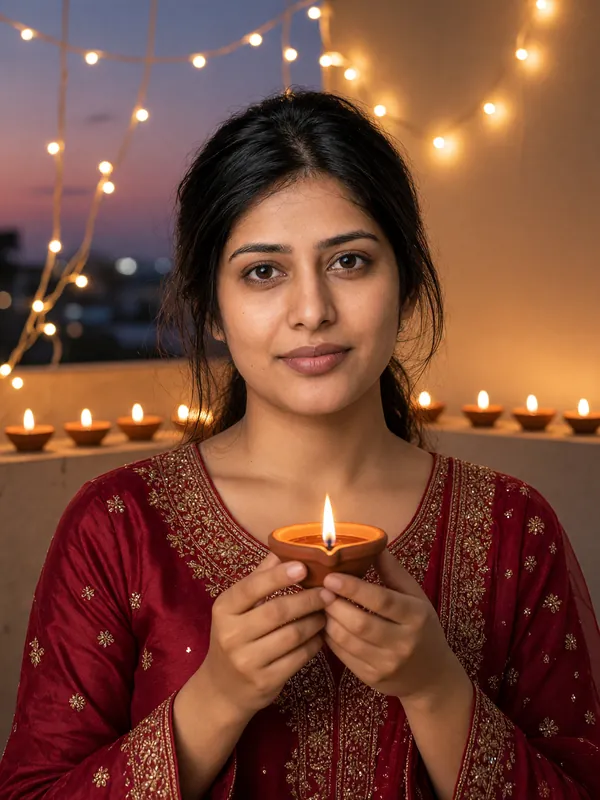
- First preview free
- Ready in about a minute
- Failed photos are never charged
- Deleted within 24 hours
Try it now
Make your photo
Pick a look, add one photo of yourself and press the button. Your first preview is free: low resolution, with a watermark. We give out a limited number of free previews each day.
For adults 18 and over only. Photos and results are deleted automatically within 24 hours, so download the ones you want to keep.
Loading the photo maker...
We could not load the photo maker. Please reload the page and try again.
Already have credits? Sign in with Google
Please keep this page open.
Your photos
Photos are kept for less than 24 hours.
Get more photos
Each credit makes one photo, full-size with no watermark.
- Credits never expire.
- If a photo fails or is blocked, you are not charged: the credit comes straight back.
The basics
AI Diwali photo editing: first preview free
Editing a photo for Diwali by hand means cutting yourself out, finding a festive background and matching the light. This editor does it in one step. Upload a selfie and pick a look: the AI makes a new photo of you in a traditional festive outfit, in a warm Diwali setting, while keeping your face recognizable.
It changes more than the background. Your clothes become a festive Indian outfit, such as an embroidered kurta, a saree or a lehenga, and the light becomes the warm glow of diyas and fairy lights. The AI picks the outfit that suits your photo; you pick the scene.
Your first preview is free, in low resolution with a watermark, and 1 credit unlocks the full-size photo with no watermark. Out of respect, the scenes show lights, rangoli, flowers and fireworks, and are made without images of deities.
How it works
How to edit your photo for Diwali
Upload your photo
Choose a clear selfie of one adult facing the camera, in good light. JPG, PNG and WebP files up to 10 MB work.
Pick a Diwali scene
Diya glow on a balcony at dusk, a rangoli on a rooftop terrace, or a rooftop fireworks night. The outfit and the light come with the scene.
Download your Diwali photo
The preview is ready in about a minute. Unlock the full-size photo with no watermark for 1 credit and download it.
Tips
Tips for a better Diwali photo edit
Use a clear, front-facing selfie
The AI keeps your face from the photo, so it needs to see it: look at the camera, with nothing covering your face.
Good light helps
Daylight from a window gives the AI more detail to work with than a dark or blurry photo.
One person per photo
Photos with more than one face are turned away. For a greeting from several adults, each one makes their own portrait.
Download it the same day
Photos are deleted from our servers within 24 hours, so save yours and send it with your Diwali wishes on WhatsApp or Instagram.
Looks
Pick your look
Example result Diya glow
You in a festive Indian outfit on a balcony at dusk, holding a lit clay diya, with fairy lights and a row of glowing diyas behind you.
Make this look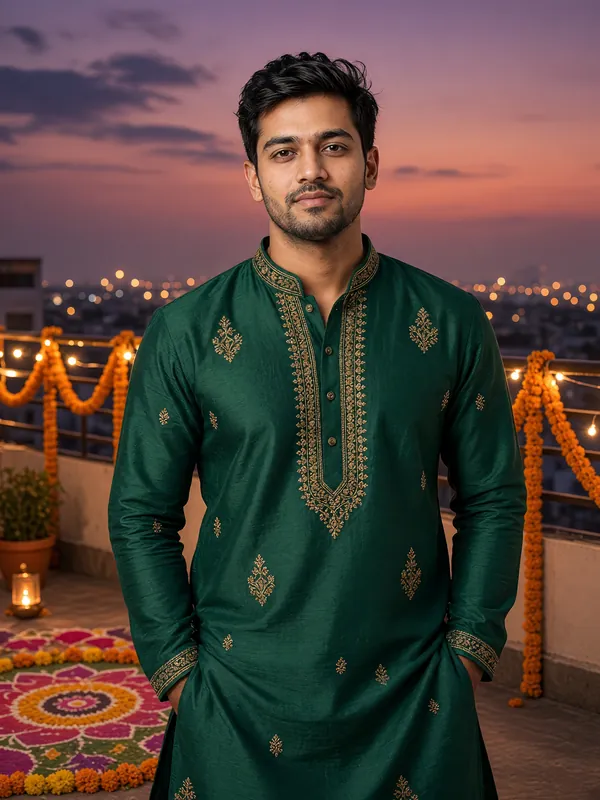
Example result Rooftop rangoli
You in a rich, jewel-toned outfit beside a colorful flower-and-powder rangoli on a rooftop terrace, with marigold garlands and warm lights at dusk.
Make this look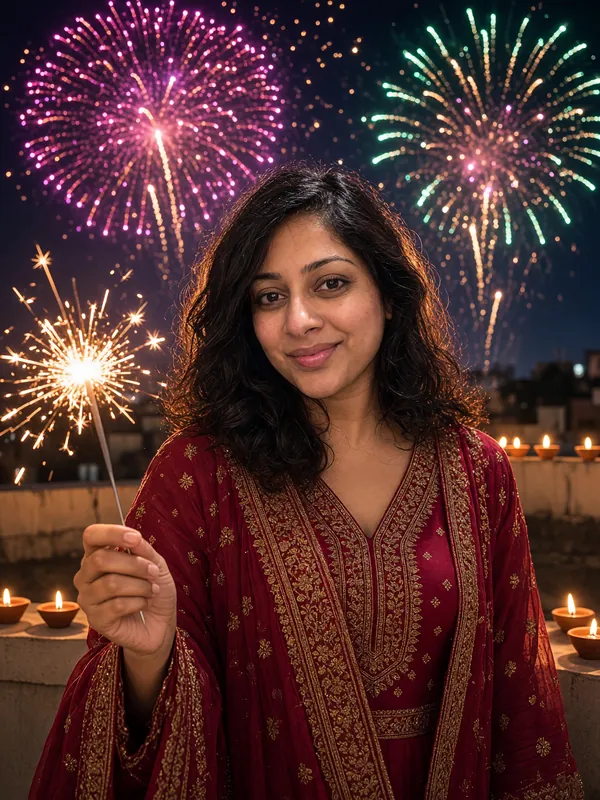
Example result Rooftop fireworks night
You on a rooftop terrace holding a sparkler, with small diyas along the wall and fireworks bursting in the night sky.
Make this look
FAQ
Diwali photo editor: questions and answers
Is this Diwali photo editor free?
Your first preview is free: you sign in with Google when you make it, and the preview comes in low resolution with a watermark. Each account gets one free preview, and we give out a limited number each day. The full-size photo with no watermark costs 1 credit, and credits start at $9.99 for 50.
Can I keep my own background and only add Diwali effects?
No. The AI makes a new photo: it replaces your background and your clothes with a full Diwali scene and a festive outfit, and keeps your face. It does not add frames, stickers or text.
Is there a Diwali photo editing app to install?
No app is needed. The editor works in the browser on Android phones, iPhones and computers.
Can I choose a saree or a kurta?
No. Each look dresses you in a traditional festive Indian outfit, and the AI picks one that suits your photo, such as a kurta, a saree or a lehenga.
Will there be gods or goddesses in my photo?
No. The scenes are made to show only festive outfits, diyas, rangoli, marigolds and fireworks. The AI is told to leave out idols, statues and religious pictures, and an automatic check blocks a result where it spots one. A blocked photo costs you nothing.
Make your Diwali photo now
One selfie in, one Diwali photo out, in about a minute.